
Personalised Keyboards for Video Editors: Put Your Studio Logo on Your Editing Suite Keyboard
If you've ever wanted a keyboard with your own studio logo, company branding or personal design, now you can create one with Editors Keys.
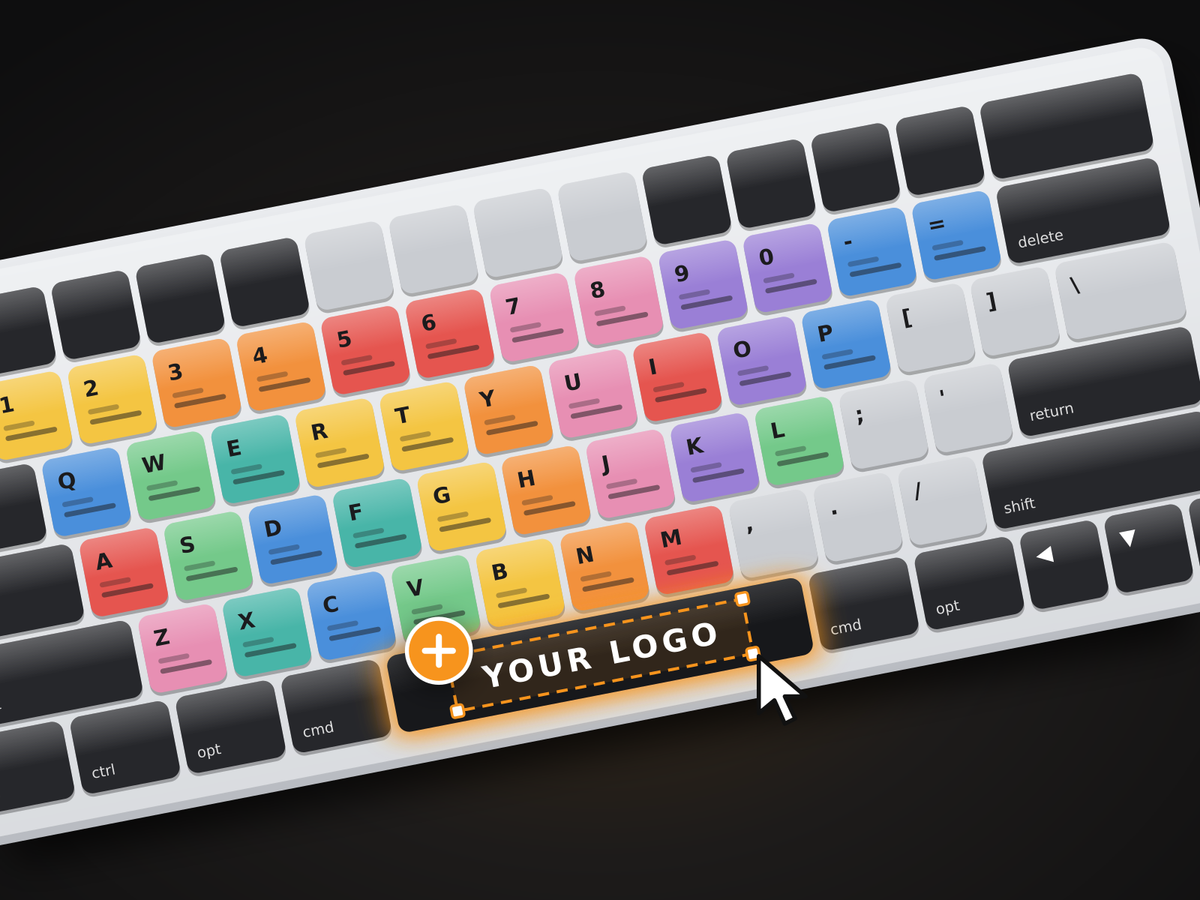
We've introduced custom keyboard printing, giving you the option to add your own logo to one of our backlit shortcut keyboards. Whether you're running a professional video editing studio, buying keyboards for your production team or simply want something more personal on your desk, you can now create your own custom Editors Keys keyboard.
And here's the best bit: you don't need to order in bulk. You can order just one custom keyboard if that's all you need.
You can design everything online, choose your keyboard and software layout, upload your logo and download a proof before placing an order. Here's how it works and what you can create.
What Is Custom Keyboard Printing?
Custom keyboard printing lets you add your own branding or artwork to an existing keyboard. Rather than settling for a standard design, you can personalise it with a company logo, studio name, business branding or something you've designed yourself.
At Editors Keys, you can add your own logo to either our AB10 Core wired or AB10 Air wireless backlit shortcut keyboards. You can choose from our available software-specific layouts, upload your logo and see how it looks on your chosen keyboard before ordering.
For example, you could have a Premiere Pro keyboard featuring your video production company's logo, a DaVinci Resolve keyboard branded for your editing studio, or a Logic Pro keyboard featuring your recording studio's name. You don't have to be a business to use this service, either. If you simply want your own artwork, initials or personal design on your keyboard, you're welcome to create one.
Whether you need one keyboard for your home office or several for a professional editing studio, there's no minimum order quantity for this logo printing option.
Who Are Personalised Keyboards For?
One of the things we like about custom keyboard printing is that there are so many ways to use it. Here are a few examples of who might benefit.
Video production companies and editing studios
If you run a video production company or post-production studio, branded keyboards are a great way to give your editing suites a consistent look.
Imagine having your company logo printed on every keyboard across your editing stations. It gives your workspace a more professional, coordinated appearance and makes your equipment feel like part of your studio's identity.
You can also choose the software layout your editors use, so your keyboards remain practical for everyday editing.

Businesses buying keyboards for their teams
If you're purchasing equipment for employees, custom logo printing gives you another way to add your company's branding to your workspace.
These keyboards could be used in video editing departments, creative agencies, media production businesses, training facilities or as branded equipment for staff working remotely.
You can order individual keyboards or multiple units for your team, making it easy to create a consistent look across your business.
Freelance video editors and content creators
Working independently doesn't mean you can't have a personalised editing setup.
If you're a freelance editor, YouTuber or content creator, you can add your own brand logo, channel name or personal design to your keyboard. It's a nice way to make your workstation feel more individual, particularly if you're spending hours editing projects every week.
Personal gifts and individual designs
You don't need a company logo or professional studio to get involved.
Perhaps you want your initials, a personal logo or something completely unique to you. Custom keyboard printing is available to individuals too, so you can create something for your own desk or as a gift for another editor. And because you can order just one keyboard, there's no need to buy several if you're only creating something for yourself.
How to Create Your Own Custom Logo Keyboard
We've made the process straightforward, with an online builder that lets you experiment with your design before committing to an order.
Here's how to get started.
1. Choose your keyboard
First, decide which Editors Keys keyboard you'd like to customise.
You can choose between:
-
AB10 Core: Our wired USB-C backlit shortcut keyboard.
-
AB10 Air: Our wireless backlit shortcut keyboard.
Both are available with different software-specific layouts, allowing you to choose the shortcuts that match your preferred video editing or music production software.
2. Upload your logo
Next, upload the logo or artwork you'd like printed onto your keyboard. This could be your production company's logo, studio branding, business name or a personal design. You'll be able to see how your artwork looks as you build your keyboard, making it easier to experiment with different ideas.

3. Add a second logo or text
Want to add a little more personalisation?
There's also an additional option to print a second logo or text on the right Shift key.
This gives you another space for your branding, initials, studio name or another design element.
4. Download your proof
One of the most useful parts of the builder is that you can download a proof of your design before ordering.
This means you can have a play around with different logos, placements and ideas without having to purchase anything first.
We'd recommend giving it a try, particularly if you're ordering keyboards for a business or studio and want to check that the design looks right before going ahead.
5. Place your order
Once you're happy with your design, you can proceed with your order through our website.
Your custom keyboard will be hand-packed by the Editors Keys team and dispatched within 7 days. Every custom keyboard also comes with a 1-year warranty.
Ready to get started? Visit our online builder:
Create Your Custom Logo Keyboard – Editors Keys
You can also visit editorskeys.com/custom.
What Can You Have Printed on Your Keyboard?
The possibilities depend on what you'd like to create.
You could use an existing company logo, a studio wordmark, a personal brand design or custom artwork you've created yourself.
For businesses, we'd recommend using a clear version of your logo that works well at a smaller size. If your artwork contains lots of fine detail or small lettering, it's worth checking the downloaded proof carefully before ordering.
You can also use the additional right Shift key option to include a second logo or text. For example, you might have your main company logo on the keyboard and your studio name or website branding on the Shift key.

If you're unsure whether your artwork will work, you can always get in touch with our team before placing your order.
Why Choose an Editors Keys Shortcut Keyboard?
Our custom logo printing option is built around the same shortcut keyboards used by video editors and music producers.
Rather than starting with a blank office keyboard, you're customising a keyboard designed to help you work with your chosen software.
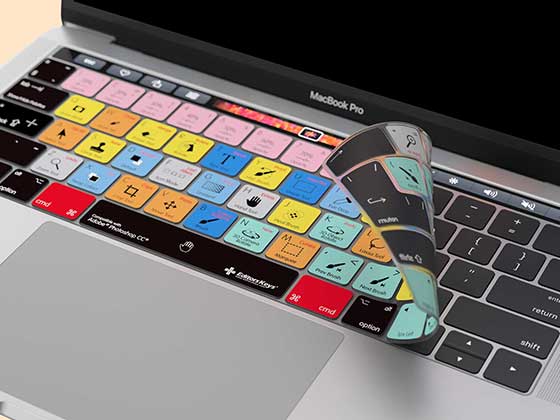
Our keyboards feature shortcuts printed directly onto the keys, helping you find commands quickly without constantly searching through menus or trying to remember keyboard combinations.
You can choose from different software layouts, including options for popular video and audio applications.
The AB10 Core gives you a wired USB-C connection, while the AB10 Air offers wireless connectivity for a cleaner, cable-free workspace.
Both give you the opportunity to combine your preferred shortcut layout with your own branding.
For a production company or editing studio, this means you can have keyboards that look the part while still providing the shortcuts your team needs.

Try the Custom Keyboard Builder for Yourself
You don't need to have a big business order or even know exactly what you want before getting started.
Our online custom keyboard builder lets you experiment with different designs, upload your artwork and download a proof before ordering. You can see how your ideas look before making a decision, without having to commit to a purchase.
If you're placing an order for a whole video production team, a gift for a friend or just for yourself, our custom keyboard creator makes it super easy to produce something that's truly personal to you
And remember, you can order just one. There's no minimum order quantity for this custom logo printing option.
Ready to put your logo on an Editors Keys keyboard?
Build Your Custom Logo Keyboard
Frequently Asked Questions
1. Can I get my company logo printed on a keyboard?
Yes. Editors Keys offers custom logo printing on the AB10 Core wired and AB10 Air wireless keyboards. You can upload your company logo using our online builder and preview your design before ordering.
2. Is there a minimum order quantity for custom keyboards?
No. You can order just one custom keyboard if you'd like. Whether you're an individual looking for a personalised keyboard or a business ordering several for your employees, there's no minimum order quantity for this logo printing option.
3. Can I get a personalised keyboard with my own design?
Yes. You don't need to represent a business or own a professional studio. Individuals can upload their own logos, artwork or personal designs to create a custom keyboard.
4. Can I print two logos on my custom keyboard?
Yes. There's an additional option to have a second logo or text printed on the right Shift key, giving you another area to personalise.
5. How long does it take to receive a custom logo keyboard?
Custom keyboards are dispatched within 7 days. Each order is hand-packed by the Editors Keys team and includes a 1-year warranty.
6. Can I preview my custom keyboard before ordering?
Yes. The online custom keyboard builder allows you to experiment with your design and download a proof before placing your order. This means you can check how your logo looks before committing to a purchase.