If you are choosing professional video editing software in 2026, two names continue to dominate conversations about serious post-production: Avid Media Composer and Adobe Premiere Pro. Both are capable of cutting feature films, television programmes, documentaries, commercials, music videos and online content, and both have matured into enormously powerful non-linear editing systems. However, despite sharing the same fundamental purpose, they approach video editing from rather different directions.
Avid Media Composer vs Premiere Pro is therefore not really a question of which application is universally "better". The more useful question is which editing system fits the way you work, the type of projects you edit, the people you collaborate with and the wider post-production ecosystem around you. Media Composer has an especially strong history in film and television post-production, broadcast and large collaborative environments, while Premiere Pro has developed into a highly flexible editing platform with particularly strong connections to the wider Adobe Creative Cloud ecosystem.
In this guide, we will compare Avid Media Composer and Adobe Premiere Pro in detail, looking at their interfaces, editing workflows, media management, effects, colour, audio, collaboration, multicamera editing, AI-assisted features, system requirements and professional workflows. We will also look at the important differences between the two programmes and explain which one may make more sense for different types of editors.
Avid Media Composer vs Premiere Pro at a Glance
At their core, both applications perform the same fundamental job. You import or link to video and audio, organise your media, create sequences, trim clips, add transitions and effects, mix audio, colour-correct your footage and eventually export a finished master.
The major difference is the philosophy behind the applications.
Media Composer is traditionally built around the demands of professional post-production, particularly environments where media management, editorial discipline, shared storage and predictable workflows are extremely important. Avid has spent decades developing Media Composer for film and television workflows, and the software remains deeply integrated with the wider Avid ecosystem.
Premiere Pro is built around flexibility and integration. It is a powerful standalone NLE, but it also sits inside Adobe's wider Creative Cloud environment, meaning editors can move between Premiere, After Effects, Photoshop, Audition and other applications as part of a broader production workflow.
Neither approach is inherently better. They simply encourage different ways of working.
As of August 2026, Avid's current Media Composer release is Media Composer 2025.12.2, while Adobe's current Premiere generation is in the 26.x series. Avid's current 2025.12 branch is supported through 2028, making it a current long-term production platform rather than an old application that has simply retained its reputation.
What Is Avid Media Composer?
Avid Media Composer is one of the most established professional non-linear editing systems in the world. It has been used extensively throughout film and television post-production and is particularly associated with large-scale professional editorial environments.
One of Media Composer's biggest strengths is its approach to media management. Rather than treating your project simply as a collection of files sitting in folders, Media Composer has traditionally placed enormous importance on databases, bins, master clips, sequences, media relationships and controlled editorial workflows. Avid describes its media management engine as being designed to track millions of assets and support large collaborative projects.
This becomes particularly valuable when you are dealing with enormous quantities of footage. A feature film or television series might contain thousands of clips, multiple camera formats, offline and online media, sound recordings, visual effects shots, multiple editors and numerous versions of sequences. Media Composer is designed to cope with this kind of environment.
The software has also developed significantly beyond its traditional editing foundations. Modern Media Composer includes features such as ScriptSync AI, PhraseFind AI, native speech-to-text, multicamera editing, proxy workflows, advanced colour tools and automated subtitle workflows.
The current 2025.12 generation also includes developments such as waveform maps alongside video, improvements to transcript editing and full-resolution multicamera output.
What Is Adobe Premiere Pro?
Adobe Premiere Pro is Adobe's professional non-linear video editing application. Like Media Composer, it can be used for everything from relatively straightforward social media videos to complex feature films and television productions.
Premiere's major selling point is arguably versatility. It provides a highly customisable editing environment and supports a huge range of media formats and workflows. More importantly, it sits alongside Adobe's other professional creative applications.
An editor can cut a sequence in Premiere, send a composition to After Effects, manipulate still images in Photoshop, work with audio through Adobe's ecosystem and use Adobe Media Encoder for encoding and delivery. This makes Premiere particularly attractive to editors who regularly move between video editing, motion graphics, image editing and other creative disciplines.
Premiere has also become increasingly sophisticated when it comes to AI-assisted editing. Its Text-Based Editing workflow allows editors to generate a transcript of dialogue and use that text as an editing interface. Selecting, moving or deleting text can automatically alter the corresponding clips and edits in the sequence.
This is particularly useful for interviews, documentaries, corporate productions, podcasts and other dialogue-heavy projects where finding particular sentences can otherwise involve scrubbing through hours of footage.
Media Composer vs Premiere Pro: The Interface
Both applications use the familiar language of a professional non-linear editor: media/project management panels, source viewing, programme monitoring, a timeline and tools for editing and effects.
However, the experience of using those interfaces feels quite different.
Media Composer's interface has evolved from a long-established professional editing workflow. The Source/Record editing model, bins, timeline and editing modes encourage a very deliberate approach to constructing a sequence. Experienced Avid editors often become extremely fast because they develop a strong relationship with the keyboard, timeline and trim tools rather than constantly reaching for the mouse.
Premiere Pro's interface is more modular and highly customisable. Panels can be rearranged, grouped, resized and saved into different workspaces depending on the task. You can create different workspace arrangements for editing, colour, audio, effects and other stages of the production.
Premiere therefore tends to feel more immediately familiar to people who have used other modern creative applications, whereas Media Composer can initially feel more specialised. That initial learning curve is not necessarily a disadvantage: much of Media Composer's complexity exists because the application gives professional editors extremely precise control over the editorial process.

How Editing Works in Media Composer
One of the biggest distinctions is the editing philosophy.
Media Composer is famous for its Source/Record workflow. You work with source material in the Source monitor, establish In and Out points, choose your tracks and perform an edit into the Record timeline.
The process is highly keyboard-driven. Editors can use the familiar Avid editing commands to perform overwrite edits, splice-ins, trims, lifts, extracts and other operations without constantly moving the mouse.
This is one reason Media Composer has such a strong following amongst professional editors. Once the keyboard workflow becomes second nature, editing can become remarkably fast and precise.
Trim Mode is another important part of the Media Composer experience. Rather than simply dragging clip edges around, editors can enter a dedicated trimming environment where they can manipulate edit points with considerable precision. Avid continues to describe Trim Mode as a core feature for dynamically looping transitions and adjusting multi-track edits frame by frame.
How Editing Works in Premiere Pro
Premiere Pro provides a similarly powerful timeline-based editing environment, but its workflow is somewhat more open-ended.
You can drag clips into sequences, use keyboard shortcuts, perform three-point edits, trim directly in the timeline, use the Source monitor, work with multicamera sequences and customise your workspace around your preferred workflow.
Premiere also offers a large collection of dedicated editing tools, including ripple, roll, slip and slide operations. Its timeline can be heavily customised and editors can create their own keyboard shortcuts, making it possible to build a workflow that closely matches the way they personally like to edit.
This flexibility is one of Premiere's greatest strengths.
The trade-off is that a new editor can sometimes find Premiere's enormous number of options slightly overwhelming. Media Composer, by comparison, has a more strongly established editorial methodology.

Media Management: A Major Difference
If you are deciding between Media Composer and Premiere Pro for professional film or television work, media management should be one of the biggest factors in your decision.
Avid has built Media Composer around professional media management for decades. Its bin-based structure, databases, shared storage capabilities and relationship between project metadata and media are designed for large editorial environments. Avid's current Media Composer documentation continues to emphasise support for Avid NEXIS and large-scale collaborative workflows.
Premiere Pro has also become considerably more capable for large productions. Its Productions workflow allows a large project to be divided into smaller project files, with assets shared between those projects rather than duplicated. Adobe specifically positions Productions for large projects such as documentaries, films and television programmes.
This is important because the old stereotype that "Premiere is only for YouTube and Avid is only for Hollywood" is no longer accurate.
Both applications can handle serious professional productions.
However, Avid's infrastructure remains particularly compelling for facilities already built around Avid systems, especially those using shared storage and established Avid post-production pipelines.
Premiere Pro Productions vs Avid's Collaborative Workflow
Adobe offers two important collaborative approaches: Team Projects and Productions.
Team Projects is Adobe's cloud-based collaborative system. Multiple editors can work on the same project while changes are synchronised through Adobe's cloud infrastructure.
Productions are different. They are designed for large projects where breaking the production into smaller project files can improve organisation and performance. Multiple editors can work on different projects within the same Production while sharing assets and using bin locking.
This makes Premiere considerably more suitable for large collaborative productions than it was historically.
Avid, however, remains particularly strong when the entire post-production facility has been designed around Avid's infrastructure. Its compatibility with Avid NEXIS and professional MediaCentral environments can make it an extremely powerful choice for broadcasters, production companies and post houses that already use Avid throughout their operation.

Which Has Better Multicam Editing?
Both are excellent for multicamera editing.
Premiere Pro allows editors to synchronise multiple cameras, create multicamera sequences and switch between angles while editing. This makes it particularly useful for interviews, live performances, podcasts, events and television.
Media Composer also provides professional multicamera editing, and the latest generation has improved its multicamera capabilities further. Avid's current feature set supports switching between up to nine camera angles in real time, while the 2025.12 update introduced full-resolution multicamera output for NDI and SRT workflows.
For straightforward multicamera work, there is little reason to choose one application solely because it supports multicam. Both are extremely capable.
The deciding factor is more likely to be the rest of your workflow.
Premiere Pro Has the Advantage in Adobe Integration
This is probably one of the clearest areas where Premiere Pro has an advantage.
If you already use Photoshop, After Effects, Illustrator, Audition or other Adobe Creative Cloud applications, Premiere fits naturally into that ecosystem.
For example, you might edit a sequence in Premiere, create a sophisticated animated graphic in After Effects, modify a photograph in Photoshop and then return to Premiere without having to completely rebuild the project in another application.
Premiere also benefits from Adobe's increasingly integrated AI features. Adobe currently highlights AI-assisted capabilities including transcription, caption creation, dialogue enhancement and colour-related tools within its wider Premiere workflow.
Media Composer can absolutely integrate with external applications and professional post-production tools, and Avid has a huge ecosystem of its own. However, if your workflow revolves around the Adobe Creative Cloud, Premiere is usually the more natural choice.
Media Composer Has the Advantage in Traditional Film and TV Editorial Workflows
Avid Media Composer has been a mainstay of professional film and television editing for decades, and its keyboard-driven workflow remains a major reason why it is so popular with experienced editors. Its precise trimming tools, structured media management and established role within large post-production teams make it particularly well suited to long-form drama and television.
A great example is Paul Knight, an editor who worked on the acclaimed BBC series Peaky Blinders. Knight used an Editors Keys USB wired backlit Media Composer shortcut keyboard while editing the series, with the dedicated Avid shortcuts printed directly onto the keys. This meant that commonly used editing commands were immediately visible, helping him work quickly without constantly navigating menus or searching for shortcut references.

For professional editors, this is where a dedicated shortcut keyboard can make a real difference. Media Composer is designed around fast, keyboard-based editing, and having the shortcuts physically mapped onto the keys makes them easier to learn and eventually commit to muscle memory. The Editors Keys Media Composer keyboards are backlit and colour-coded, with more than 100 shortcuts clearly labelled, making them particularly useful in the dark edit suites often used for film and television production.
The example of Peaky Blinders is a useful reminder that the keyboard is still an important part of the professional editing workflow. Whether you choose Media Composer or Premiere Pro, learning the shortcuts and reducing your reliance on menus and mouse clicks can make the editing process considerably faster and more intuitive.
ScriptSync AI and PhraseFind AI vs Premiere's Text-Based Editing
Both applications have become much more interesting for dialogue editing thanks to AI and speech recognition.
Media Composer's ScriptSync AI can match transcripts to audio and help editors search and navigate dialogue. PhraseFind AI allows spoken dialogue to be searched phonetically across large amounts of footage. Avid also offers native speech-to-text functionality.
Premiere Pro takes a somewhat different approach with Text-Based Editing. Instead of treating the transcript merely as a search tool, Premiere allows the transcript to become part of the editing interface itself. You can select and rearrange text and have the corresponding video edits reflected in the timeline.
For documentary and interview editors, this can be transformative.
If you have six hours of interviews and need to find every time someone discusses a particular subject, searching a transcript is considerably faster than manually scrubbing through every clip.
The two programmes are therefore converging on a similar problem — how do you find the right moment in enormous quantities of spoken footage? — but their implementations and surrounding workflows differ.
Effects and Visual Effects: Premiere Pro vs Media Composer
Both applications provide extensive effects capabilities, but Premiere Pro has an important advantage when your work involves substantial motion graphics.
The integration with After Effects is one of Premiere's biggest advantages for editors working on visually complex projects. Adobe Dynamic Link can allow Premiere and After Effects to work together without requiring you to continually export intermediate files.
Media Composer has a comprehensive effects and finishing environment of its own, and its ecosystem supports third-party tools for VFX, finishing, dailies and other professional workflows.
However, if you are regularly creating animated titles, motion graphics, compositing and sophisticated visual effects, the Premiere + After Effects combination can be extremely difficult to beat.
Colour Grading
Neither application should be confused with a dedicated colour grading application such as DaVinci Resolve, but both provide substantial colour correction capabilities.
Premiere Pro includes Lumetri Color, which provides professional colour correction and grading tools directly within the editing application.
Media Composer also includes colour correction functionality, with higher-level Symphony colour tools providing more advanced secondary colour correction and relational grading capabilities.
For many projects, either application can handle the entire basic-to-advanced editorial colour workflow. For a feature film requiring dedicated high-end finishing, however, the edit may eventually be transferred to a specialist grading environment regardless of whether the offline edit was completed in Avid or Premiere.

Audio: Which Is Better?
Both programmes provide multitrack audio editing, mixing, effects and support for professional audio workflows.
Premiere benefits from its close relationship with Adobe Audition, while Media Composer is particularly well established within professional post-production environments where it may be used alongside Pro Tools and other Avid technologies.
For straightforward audio editing and mixing, both applications are capable. For serious feature-film sound post-production, the editor will generally not be expected to perform the entire final mix inside the NLE anyway.
Instead, the editing system becomes part of a larger post-production pipeline.
File Formats and Codec Workflows
Premiere Pro is famous for its broad compatibility with modern camera formats and media. It is particularly convenient for editors who receive footage from a wide variety of cameras, phones, screen recordings, drones and consumer devices.
Media Composer can also work with a wide variety of modern media, and Avid has made considerable progress in improving support for contemporary workflows. Media Composer 2025.6, for example, introduced OpenTimelineIO import support and additional AVC Long GOP quality controls.
Avid also has a particularly strong relationship with professional codecs such as DNxHD and DNxHR, which have long been important in professional post-production.
This distinction can matter when choosing an NLE for a specific facility. If a production company has an established DNx-based workflow, Media Composer may fit naturally into it. If an individual creator regularly receives H.264, HEVC, ProRes, RAW and mixed-format footage from numerous devices, Premiere's flexible media environment can be particularly attractive.
Proxy Editing
Both applications support proxy workflows, allowing editors to work with smaller, lighter versions of high-resolution footage.
This can be particularly useful when working with 4K, 6K, 8K or RAW footage.
Media Composer's proxy workflow is designed to let editors work with lightweight media while maintaining the relationship with camera originals for final conforming and delivery.
Premiere Pro similarly provides proxy workflows that can dramatically reduce the processing burden of high-resolution footage.
For editors working on laptops or less powerful workstations, proxies can make a much larger difference to performance than simply buying a faster application.
System Requirements: Media Composer vs Premiere Pro
Hardware requirements should also be considered when choosing your editing software.
Adobe's current Premiere 26.x requirements recommend 16 GB of RAM for HD workflows and 32 GB or more for 4K and higher-resolution work. Adobe recommends Apple silicon such as M1 Pro, M1 Max or M1 Ultra and newer for demanding Mac workflows, with 16 GB unified memory recommended on Apple silicon.
Avid's requirements are similarly dependent on the type of work being performed. Avid's current qualified-system documentation supports a wide range of Apple silicon Macs, including M1 through M5-generation systems, and recommends checking its qualification matrix before upgrading hardware or operating systems.
Avid's 2025.6 documentation listed 16 GB as the minimum RAM recommendation and 32 GB as recommended, while noting that particular features may require additional memory and specific hardware.
The important point is that you should not choose a computer based solely on an application's minimum requirements. Minimum specifications are generally designed to establish whether software can run, not whether it will provide a pleasant professional editing experience.
If you regularly edit 4K or higher-resolution footage, use complex effects, work with multicamera projects or run several applications simultaneously, more RAM, a fast SSD and a capable GPU can make a substantial difference.
Media Composer vs Premiere Pro: Which Is Easier to Learn?
For a complete beginner, Premiere Pro may initially feel more approachable because its interface and general workflow are relatively easy to understand.
You can import footage, drag it into a timeline and immediately begin experimenting.
Media Composer can take longer to understand because its workflow is more deeply rooted in professional editorial conventions. Terms such as bins, Source/Record, overwrite, splice-in, lift, extract, trim modes and media management become second nature with experience, but they can initially seem like an entirely new language.
However, once learned, Media Composer's structured approach can become one of its biggest advantages. This is why experienced Avid editors can be incredibly fast.
The same principle applies to Premiere Pro: an experienced Premiere editor who has mastered keyboard shortcuts, custom workspaces, timeline tools and efficient media management can work extraordinarily quickly.
The software itself is only part of the equation. Your knowledge of the software is what ultimately determines how quickly you can edit.

Keyboard Shortcuts: The Secret to Editing Faster in Either Programme
This is one area where Media Composer and Premiere Pro have something extremely important in common: professional editors rely heavily on keyboard shortcuts.
You can edit using a mouse, but if you want to become genuinely fast, learning the keyboard is essential.
Commands such as trimming, moving through a sequence, setting In and Out points, selecting tools, inserting clips and navigating between edits can often be performed considerably faster from the keyboard than by repeatedly moving the mouse around the interface.
The problem is remembering hundreds of shortcuts. This is where a dedicated editing keyboard can make a surprisingly significant difference.
Speed Up Premiere Pro with an Editors Keys Shortcut Keyboard
Editors Keys produces dedicated Adobe Premiere Pro shortcut keyboards with the most important Premiere commands printed directly onto the keys. Instead of repeatedly opening menus or searching for shortcut references, you can simply look down and immediately see the command you need.
The current AB10 Air Wireless and AB10 Core Wired USB-C Premiere Pro keyboards feature more than 100 Premiere Pro shortcuts, colour-coded according to their functions, while retaining the standard typing characters on the keys.
Shop the Editors Keys Premiere Pro Shortcut Keyboards
The AB10 Air is particularly useful if you move between multiple machines. It can pair with up to three devices, allowing you to switch between them without continually reconnecting the keyboard. It is also fully backlit, with three brightness levels, making it useful for dark editing suites and late-night sessions.
The AB10 Core, meanwhile, is the wired USB-C option. It is designed for editors who prefer a permanent, reliable connection without batteries or Bluetooth. Simply plug it in and start editing.
The idea is simple: instead of trying to memorise every Premiere Pro keyboard shortcut before you can use it, the keyboard becomes your visual reference. Over time, repeatedly looking at the keys naturally helps build muscle memory.

Speed Up Media Composer with an Editors Keys Shortcut Keyboard
The same principle applies to Avid Media Composer.
Editors Keys' dedicated Media Composer shortcut keyboard places Media Composer shortcuts directly onto the keys and uses colour coding to group functions together. It is designed specifically around the demands of professional Avid editing workflows.
Shop the Editors Keys Media Composer Shortcut Keyboard
Again, you can choose between the AB10 Air Wireless and AB10 Core Wired versions.
The AB10 Air can connect to up to three devices, while the AB10 Core provides a direct USB-C connection with no battery management required. Both are backlit and designed to keep the Media Composer shortcuts visible while you work.
This can be particularly useful for Avid because Media Composer is so heavily dependent on efficient keyboard operation. An editor who learns to perform common trims, edits and navigation commands without constantly reaching for the mouse can dramatically reduce unnecessary movement during a long editing session.

What About Silicone Keyboard Covers?
If you already own a MacBook Pro, MacBook Air or compatible Apple keyboard, you do not necessarily need to replace the entire keyboard.
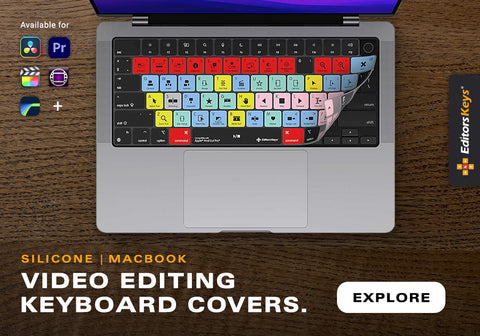
Editors Keys also produces silicone shortcut keyboard covers for both Premiere Pro and Media Composer.
The covers sit directly over your existing keyboard and provide visual references for the application's shortcuts while also protecting the keyboard from dust, dirt and accidental spills.
The Premiere Pro covers feature more than 100 shortcuts alongside the normal typing characters, shortcut references and colour coding. They are made from thin silicone and can be removed and washed when necessary.
Editors Keys also produces covers for Media Composer and other professional creative applications, making them particularly useful if you edit on a MacBook and want to keep your existing keyboard rather than purchasing a separate desktop keyboard.
Browse Editors Keys Editing Keyboard Covers
Media Composer vs Premiere Pro: What Can One Do That the Other Can't?
It is tempting to look for a simple feature that definitively makes one application superior, but that is not really how the comparison works.
Instead, there are areas where one programme has a clear ecosystem or workflow advantage.
Premiere Pro has the obvious advantage if you rely heavily on After Effects, Photoshop, Audition and the wider Adobe Creative Cloud ecosystem. Its Text-Based Editing workflow is also particularly powerful for transcript-driven editing, and Adobe's Team Projects and Productions provide flexible collaborative approaches.
Media Composer's strongest advantages are its professional editorial heritage, structured media management, Avid ecosystem, shared-storage workflows and established position within film and television post-production. Features such as ScriptSync AI, PhraseFind AI, proxy editing, sophisticated trimming and Avid's wider production infrastructure make it particularly compelling for professional editorial departments.
There is also an important philosophical difference. Premiere generally gives you an enormous amount of flexibility and asks you to construct your preferred workflow. Media Composer provides a more established editorial methodology and has been refined around professional editing practice for decades.

Which Is Better for Film Editing?
If your goal is feature-film editing, Media Composer remains an extremely compelling choice.
That does not mean Premiere Pro cannot edit films. It absolutely can, and Premiere is used for major professional productions.
However, if you are specifically aiming to work as an editor or assistant editor within traditional high-end film and television post-production, learning Media Composer can be an extremely valuable professional skill because of its longstanding position in the industry.
You should also consider what software the production companies you want to work for actually use.
If the jobs you want consistently ask for Avid Media Composer experience, learn Avid.
If the jobs, freelance clients and production companies you are targeting predominantly use Premiere Pro, learn Premiere.
Your employability and ability to slot into a professional workflow are often more important than theoretical feature comparisons.
Which Is Better for YouTube and Content Creation?
For YouTube, social media, corporate video, marketing, weddings, online courses and general content creation, Premiere Pro is arguably the more obvious choice for many editors.
It is flexible, integrates with Adobe's other creative applications and has excellent support for modern content workflows. Media Composer can certainly perform these jobs, but it is often more software than you need for a relatively straightforward content workflow.
If you are cutting a 10-minute YouTube video, you probably do not need the same media-management infrastructure that makes sense for a feature film with hundreds of hours of rushes and multiple assistant editors.
Which Is Better for Documentary Editing?
This is a much closer contest!
Both applications are excellent for documentaries, particularly because both have increasingly sophisticated tools for finding dialogue within large quantities of footage.
Media Composer's ScriptSync AI and PhraseFind AI are particularly interesting for documentary editors, while Premiere's Text-Based Editing can turn transcripts into a genuinely useful editing interface.
If you work within an established television documentary production environment, Avid may be the natural choice. If you are an independent documentary filmmaker who also creates motion graphics, promotional content and social clips, Premiere's broader ecosystem may be more attractive.
Which Is Better for Freelancers?
For freelancers, the decision is often less about technical capability and more about what clients expect.
A freelance editor who works for numerous small production companies may benefit from knowing Premiere because of its broad adoption across commercial, corporate, online and creative work.
An editor who wants to specialise in television and feature-film editorial may benefit enormously from learning Media Composer. Ideally, serious professional editors should consider learning both.
Once you understand non-linear editing principles, moving from one NLE to another becomes much easier. The terminology, interface and shortcuts change, but the fundamental concepts remain remarkably similar.
Media Composer vs Premiere Pro: The Final Verdict
So, which should you choose?
If you want a straightforward answer, choose Premiere Pro if you want maximum flexibility and close integration with Adobe's creative ecosystem. It is an excellent choice for freelancers, filmmakers, content creators, commercial editors, YouTubers and production teams who regularly work with After Effects and Photoshop.
Choose Avid Media Composer if your ambitions are centred around professional film and television editorial, particularly within established post-production facilities and collaborative Avid workflows. Its media management, editorial methodology, professional infrastructure and deep industry history remain major advantages.
But there is an important third option: learn both.
Premiere Pro and Media Composer are not competing versions of exactly the same philosophy. They are two different approaches to professional editing. Understanding both makes you a more adaptable editor and allows you to walk into a production using either system and understand what is happening.
Whichever NLE you choose, there is also a good argument for investing time in your keyboard workflow. The fastest editors are rarely the ones who know where every button is located. They are the ones who have built enough muscle memory that the technical operation of editing almost disappears behind the creative decisions.
That is precisely what Editors Keys shortcut keyboards and silicone covers are designed to encourage. By putting the important Media Composer or Premiere Pro shortcuts directly onto your keyboard, you have a permanent visual reference while you work, making it easier to learn shortcuts, build muscle memory and keep your hands closer to the controls.
For a permanent editing workstation, the AB10 Core Wired USB-C Backlit keyboard provides a direct, battery-free connection. For editors who move between machines or want a cleaner workstation, the AB10 Air Wireless Backlit keyboard provides Bluetooth connectivity for up to three devices. Both versions provide colour-coded shortcut information and adjustable backlighting.
Explore the full Editors Keys AB10 Shortcut Keyboard range
Whether you are cutting a feature film in Media Composer, assembling a documentary in Premiere Pro, producing commercials, creating YouTube videos or working through hundreds of hours of broadcast footage, the principle is the same: the less time you spend searching for commands, the more time you can spend actually editing.
Media Composer vs Premiere Pro: Quick Comparison
| Feature | Avid Media Composer | Adobe Premiere Pro |
|---|---|---|
| Professional film editing | Excellent | Excellent |
| Television and broadcast | Excellent | Excellent |
| Long-form editing | Excellent | Excellent |
| Media management | Exceptional, particularly for large Avid workflows | Excellent, particularly with Productions |
| Keyboard-driven editing | Excellent | Excellent |
| Multicam editing | Excellent | Excellent |
| Proxy workflows | Excellent | Excellent |
| AI transcription | Yes | Yes |
| Dialogue search | PhraseFind AI | Text-Based Editing and transcription |
| Script-based editing | ScriptSync AI | Text-Based Editing |
| Motion graphics | Good | Excellent with After Effects |
| Adobe Creative Cloud integration | Limited compared with Premiere | Excellent |
| Professional shared-storage workflows | Excellent | Excellent |
| Beginner friendliness | Moderate learning curve | Generally easier to approach |
| Established film/TV editorial presence | Exceptional | Very strong |
| Best suited to | Film, TV, broadcast and large editorial teams | Film, TV, commercial, freelance and content workflows |
| Dedicated Editors Keys keyboard | Yes | Yes |
| AB10 Air Wireless | Yes | Yes |
| AB10 Core Wired USB-C | Yes | Yes |
| Editors Keys silicone covers | Yes | Yes |
The Bottom Line
There is no universal winner in the Media Composer vs Premiere Pro debate. Both are professional, industry-grade editing applications capable of producing exceptional work. The real distinction is the ecosystem and workflow surrounding them.
Media Composer is the specialist professional editorial tool with an enormous heritage in film and television. Premiere Pro is the highly flexible creative hub that benefits enormously from Adobe's wider ecosystem.
If you are choosing your first professional NLE, think about the kind of work you want to be doing in three or five years rather than simply asking which application has the most features today. And whichever application you choose, learn its keyboard shortcuts properly. That is one of the simplest ways to move from using an editing programme to actually becoming a fast editor.