Video editing has become more demanding than ever. Modern cameras can capture enormous 4K, 6K and even 8K files, while editing software such as Adobe Premiere Pro, DaVinci Resolve and Final Cut Pro require fast, reliable storage to keep projects running smoothly.
For professional editors, filmmakers and content creators, choosing the right storage solution can have a huge impact on workflow. Slow drives can lead to longer transfer times, frustrating playback issues and delays when working with large projects. On the other hand, investing in the right type of storage can dramatically improve efficiency and provide a safer way to manage valuable footage.
When choosing storage for video editing, two main options are usually considered: SSDs (Solid State Drives) and HDDs (Hard Disk Drives). Both have advantages and disadvantages, and the best choice depends on the type of editing work you do, the size of your projects and how you plan to store and back up your footage.
What Is a HDD?
A Hard Disk Drive (HDD) is a traditional storage device that has been used in computers for decades. HDDs store data on spinning magnetic platters, with a mechanical arm reading and writing information as the drive operates.
Because HDD technology has been around for so long, it remains one of the most affordable ways to store large amounts of data. This makes HDDs particularly popular among photographers, filmmakers and video editors who need several terabytes of storage space for archived projects.
For example, a video editor working on documentary projects, YouTube content, corporate videos or feature-length films may quickly accumulate hundreds of gigabytes or even several terabytes of footage. HDDs provide a cost-effective way to store this data without spending a huge amount of money.
Advantages of HDDs for Video Editing
Large storage capacity at an affordable price
The biggest advantage of HDDs is their price-to-storage ratio. A multi-terabyte HDD can often be purchased for considerably less than an SSD with the same capacity.
For editors who need to store:
-
Raw camera footage
-
Completed projects
-
Archived client work
-
Video libraries
-
Backup copies
HDDs offer an economical solution.

Ideal for long-term storage and backups
While SSDs are excellent for active editing, HDDs are still widely used as archive drives. Once a project has been completed, moving finished files onto an HDD can free up faster storage space while keeping footage safely stored.
Many professional editors use a combination of both technologies: SSD storage for current projects and HDD storage for long-term backups.
Good for large media libraries
If you have years of footage, sound effects, stock video clips or project files, HDDs provide plenty of room to build a large media archive without constantly worrying about running out of space.
Disadvantages of HDDs for Video Editing
The main downside of HDDs is speed.
Because they rely on moving mechanical parts, HDDs are much slower than SSDs when it comes to reading and writing files. This can become noticeable when editing high-resolution footage.
Working directly from an HDD may result in:
-
Longer loading times
-
Slower file transfers
-
Reduced performance with multiple video streams
-
Potential playback issues with high-bitrate footage
HDDs are also more vulnerable to physical damage because of their moving internal components. Dropping an external HDD while it is operating can potentially damage the drive and result in data loss.

What Is an SSD?
A Solid State Drive (SSD) is a newer type of storage technology that stores data using flash memory chips rather than moving mechanical parts.
Because SSDs have no spinning discs or mechanical arms, they can access data significantly faster than traditional HDDs. This makes them extremely popular among video editors who need fast, responsive performance.
Modern computers often use SSDs as their primary storage because they allow operating systems, applications and projects to load much faster.
Advantages of SSDs for Video Editing
Much faster read and write speeds
The biggest benefit of an SSD is speed.
When editing video, fast storage can make a noticeable difference. Opening large project files, importing footage, generating previews and exporting videos can all be improved with an SSD.
This is especially important when working with:
-
4K and 8K footage
-
RAW camera formats
-
Multi-camera edits
-
Large effects-heavy timelines
-
Complex colour grading workflows
An SSD can help your editing software access files quickly, reducing delays and creating a smoother editing experience.

Improved timeline performance
When editing directly from an SSD, your computer can quickly retrieve video files, allowing editing software to process footage more efficiently.
This can reduce problems such as:
-
Stuttering playback
-
Timeline lag
-
Slow scrubbing through footage
-
Delayed loading of assets
For editors who spend hours working through timelines, this improved responsiveness can save a significant amount of time.
More durable and portable
Since SSDs have no moving parts, they are generally more resistant to knocks and vibrations compared to HDDs.
This makes portable SSDs particularly useful for:
-
Filmmakers working on location
-
Travel content creators
-
Freelance editors moving between studios
-
Anyone carrying projects between computers
Disadvantages of SSDs for Video Editing
The biggest disadvantage of SSDs is cost.
Although prices have decreased significantly over recent years, SSDs are still more expensive per terabyte compared with HDDs.
For example, purchasing several terabytes of SSD storage for a large video archive can become expensive quickly.
SSDs also have a limited number of write cycles, although modern SSDs are extremely reliable and typically last many years under normal editing workloads.

SSD vs HDD: Which Is Faster for Video Editing?
When it comes to pure performance, SSDs are the clear winner.
A typical HDD may offer read and write speeds around 100–200 MB/s, while modern SSDs can reach speeds of several hundred to several thousand MB/s depending on the type of drive.
This difference becomes increasingly important as video resolutions continue to increase.
For editing smaller projects, such as:
-
1080p YouTube videos
-
Short social media clips
-
Simple home videos
an HDD may still perform perfectly well.
However, for professional editing involving large files, multiple layers, effects and high-resolution footage, an SSD provides a much smoother workflow.

Should Video Editors Use an SSD or HDD?
The answer depends on how you work.
Rather than viewing SSDs and HDDs as competitors, many professional editors use both because they serve different purposes.
SSD: Best for Active Editing Projects
An SSD is the better choice if you:
-
Edit videos professionally
-
Work with 4K, 6K or 8K footage
-
Need fast project loading
-
Work with large timelines
-
Frequently move projects between locations
-
Want the smoothest editing experience possible
A common setup is using an internal SSD for your operating system, editing software and current projects, alongside an external SSD for active project files.

HDD: Best for Storage and Backups
An HDD is ideal if you:
-
Need large amounts of affordable storage
-
Archive completed projects
-
Store large footage libraries
-
Create backup copies
-
Need several terabytes of capacity
For example, a filmmaker might edit a project from an SSD, then move the completed project files onto a large HDD for long-term storage.
The Best Storage Setup for Professional Video Editors
For editors handling large workloads, the ideal setup is often a combination of both technologies.
A professional workflow might look something like this:
Fast SSD storage:
-
Operating system
-
Editing software
-
Current projects
-
Active footage
-
Cache files
-
Scratch disks
Large HDD storage:
-
Completed projects
-
Old footage
-
Client archives
-
Backup copies
This gives you the speed required for editing while keeping your long-term storage costs manageable.
It is also important to follow the 3-2-1 backup rule:
-
Keep three copies of important files
-
Store them on two different types of media
-
Keep one copy in a separate location
No storage device is completely immune from failure, so having reliable backups is essential when dealing with valuable footage.

Speed Up Your Editing Workflow with Editors Keys Shortcut Keyboards
While choosing the right storage can dramatically improve your editing workflow, your editing speed also depends on how efficiently you can navigate your software. Professional editors rely heavily on keyboard shortcuts to speed up repetitive tasks, but remembering hundreds of shortcuts across different programmes can be challenging. This is where Editors Keys shortcut keyboards can help.
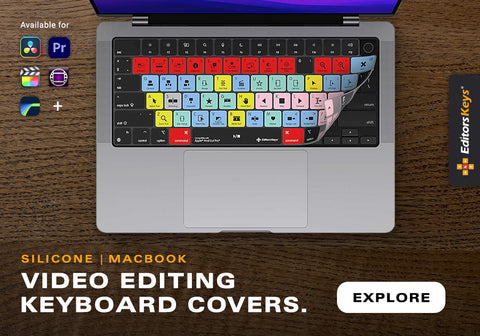
Editors Keys creates dedicated video and audio editing keyboards designed specifically for popular creative software. Each keyboard features the essential shortcuts mapped directly onto the keys, allowing editors to quickly find the tools and commands they need without constantly searching through menus.

Instead of memorising every shortcut from scratch, editors can use the visual key guides as a reference while they work. Over time, this helps build muscle memory, allowing common editing commands to become second nature.
Editors Keys keyboards are available for software including:
-
Adobe Premiere Pro
-
Final Cut Pro
-
DaVinci Resolve
-
Adobe After Effects
-
Adobe Audition
-
Logic Pro
-
Pro Tools
By combining fast storage with an efficient editing setup, creators can spend less time waiting for files to load and more time focusing on the creative process.
Final Thoughts: SSD or HDD for Video Editing?
For most modern video editors, an SSD is the best choice for active editing because of its speed, responsiveness and reliability. It can make working with large video files feel significantly smoother and more efficient. However, HDDs still play an important role. Their affordability and large capacities make them excellent for backups, archives and storing years of completed projects.
For the best possible workflow, many professional editors use both: an SSD for speed and an HDD for affordable long-term storage. By pairing the right storage solution with tools designed to improve efficiency, such as an Editors Keys shortcut keyboard, you can build a faster, more organised and more productive video editing setup.