The release of Cubase 15 brings a range of workflow improvements, creative tools, and performance enhancements aimed at modern music producers, composers, mixing engineers, and content creators. While Cubase has always been known as one of the most feature-rich DAWs available, version 15 focuses heavily on refining the user experience and making everyday production tasks faster and more intuitive.
One of the biggest questions existing users have been asking is whether Cubase 15 introduces major shortcut changes and whether older shortcut keyboards are still compatible.

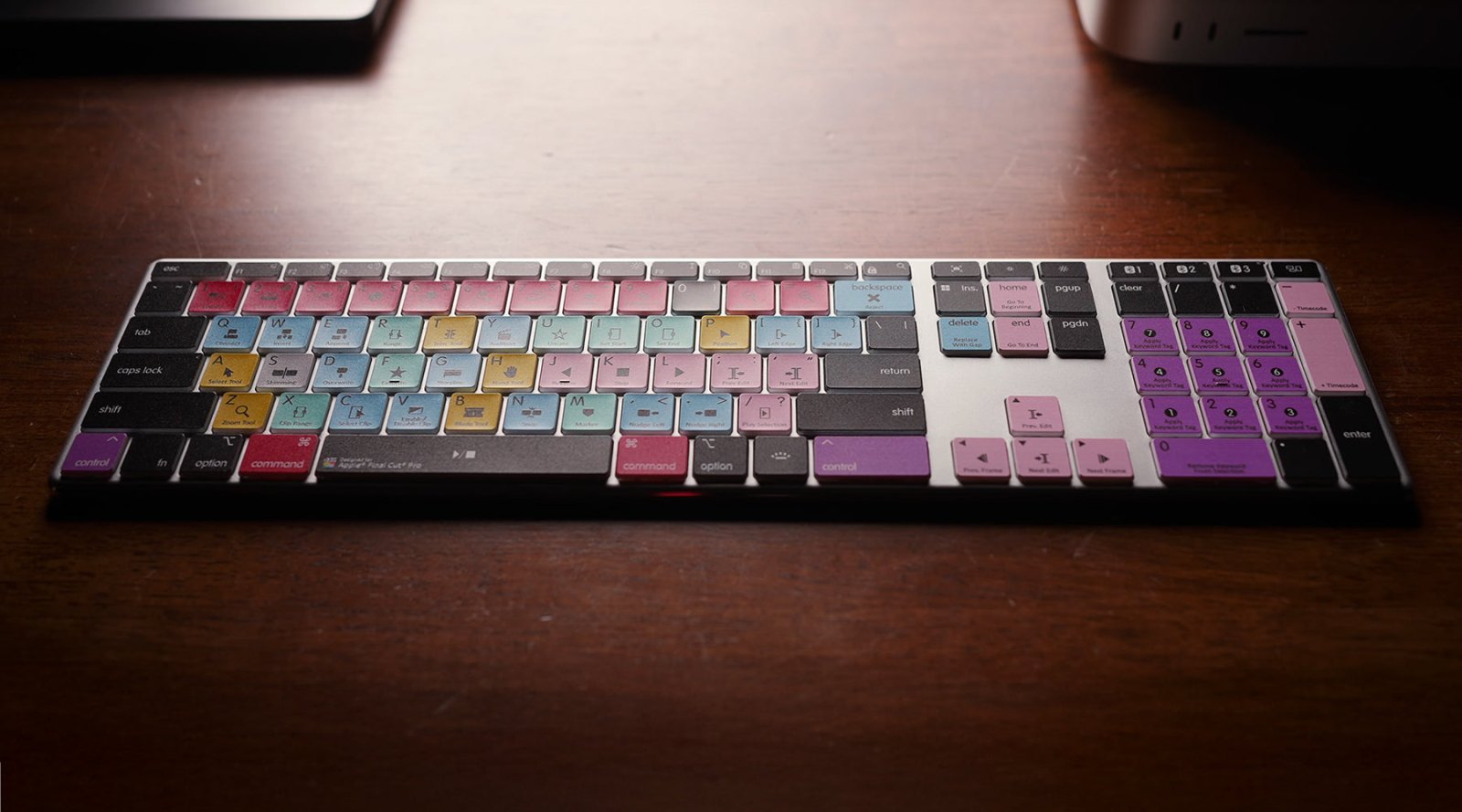
Thankfully, the answer is yes — all Editors Keys Cubase 14 editing keyboards and keyboard covers remain fully compatible with Cubase 15.
Although Steinberg has added a few new commands and updated several workflow shortcuts, the overall structure of Cubase’s keyboard layout remains almost identical to Cubase 14. This is excellent news for producers who have already developed muscle memory using Cubase shortcut keyboards, as there is no need to relearn the software from scratch or replace existing hardware.
Steinberg appears to have settled into a long-term shortcut structure now, meaning Cubase users can confidently invest in workflow tools like Editors Keys keyboards knowing they will remain useful for years to come.

What’s Actually New in Cubase 15?
Rather than completely reinventing the DAW, Cubase 15 focuses on improving the production experience in ways that genuinely affect day-to-day workflow. Many of the changes are designed to reduce friction while recording, editing, mixing, and composing.
One of the biggest additions is the expanded modulation system, giving producers more creative control over movement and automation inside projects. Modulators can now be assigned more flexibly across instruments and effects, allowing users to create evolving textures, rhythmic filter changes, dynamic effects movement, and more experimental sound design techniques without needing complicated routing setups.
For electronic music producers especially, this opens up much faster creative experimentation. Tasks that previously required multiple automation lanes can now be achieved more naturally within the modulation system itself.
Cubase 15 also introduces improvements to the MixConsole, making navigation and channel management feel smoother during larger sessions. Engineers working on complex projects with dozens — or even hundreds — of tracks will notice faster access to routing, inserts, and visibility controls. Combined with keyboard shortcuts for opening mixers, switching windows, toggling automation, and zooming around projects, workflow feels significantly more fluid than previous versions.

The updated Score Editor is another major talking point, particularly for composers and film scorers. Steinberg has continued improving notation features and layout handling, helping bridge the gap between traditional composition and modern DAW production. For users working between MIDI sequencing and orchestral scoring, Cubase remains one of the strongest all-round production environments available today.
Audio editing has also received various refinements. Comping takes, trimming audio, fading clips, splitting recordings, and bouncing events all feel faster and more responsive. These are the kinds of tasks producers perform hundreds of times during a session, which is exactly why keyboard shortcuts become so important inside Cubase.
Instead of repeatedly navigating through menus, producers can execute commands instantly from muscle memory. This becomes even easier with an Editors Keys shortcut keyboard, where all major Cubase shortcuts are colour-coded directly onto the keys.
Have Any Shortcuts Changed in Cubase 15?
Yes, but only slightly! Cubase 15 introduces a handful of new shortcuts tied to some of the updated workflow features and modulation tools, but the vast majority of core editing commands remain exactly where Cubase users expect them to be.
Core shortcuts for tools such as:
-
Split
-
Glue
-
Zoom
-
Quantise
-
Undo and Redo
-
Snap
-
Mute
-
Solo
-
Cycle Mode
-
Transport Controls
-
Mixer Navigation
all remain fundamentally unchanged.
This consistency is incredibly important for professional users. Producers often spend years developing editing speed and muscle memory, and drastic shortcut overhauls can seriously disrupt workflow. Steinberg has wisely avoided making unnecessary changes, instead building upon the existing structure that Cubase users already know.
Some newer shortcuts now relate to faster modulation access, visibility controls, window management, and updated editing tools, but these additions sit naturally alongside the existing layout rather than replacing it.
Because of this, all current Editors Keys Cubase shortcut keyboards and keyboard covers still provide an extremely accurate shortcut reference for Cubase 15 users.
Why Shortcut Keyboards Matter More in Modern DAWs
Modern DAWs have become incredibly powerful, but they have also become increasingly complex. Between audio editing, MIDI programming, automation, plugins, mixing, mastering, routing, and sound design, producers are constantly juggling huge numbers of tools and menus. This is where editing keyboards become far more than just a visual accessory.
A dedicated Cubase keyboard acts as both a workflow accelerator and a learning tool. Instead of stopping creative momentum to search through menus or memorise obscure commands, users can see important shortcuts directly in front of them while they work. For newer producers switching to Cubase 15, this can dramatically reduce the learning curve. Many users naturally memorise shortcuts over time simply through repeated exposure while editing.
For professional users, the speed improvements become even more valuable during long sessions. Saving just a few seconds on repetitive actions such as splitting clips, zooming timelines, enabling automation, or opening mixer windows quickly adds up over the course of an entire project. It also helps maintain creative focus. Constantly reaching for menus and searching for commands interrupts the production process, whereas keyboard shortcuts allow producers to stay immersed in recording, arranging, and mixing.

Is Cubase 15 Worth Upgrading To?
For most Cubase users, absolutely.
Cubase 15 improves workflow without forcing producers to relearn the software they already know. The updated modulation tools, improved editing responsiveness, enhanced mixing workflow, and refined interface all contribute towards a smoother and more professional production experience.
Importantly, Steinberg has maintained compatibility with the shortcut ecosystem that users have relied upon for years. That means existing Editors Keys customers can move directly into Cubase 15 without changing their keyboard setup.
For producers considering switching DAWs entirely, Cubase 15 remains one of the strongest choices available for music production, mixing, composition, sound design, and post-production work.
Combined with an Editors Keys Cubase editing keyboard or keyboard cover, users can speed up their workflow, learn shortcuts faster, and get more from Cubase from day one.
Whether you are producing electronic music, recording live bands, editing podcasts, composing orchestral scores, or mixing professional sessions, having shortcuts instantly available at your fingertips can completely change the way you work.