If you’ve ever watched a professional video editor or music producer at work, you may have noticed how quickly they move through their software without endlessly clicking through menus. One of the biggest reasons for this speed and efficiency is the use of keyboard shortcuts — and this is exactly where an editing keyboard becomes an essential tool.
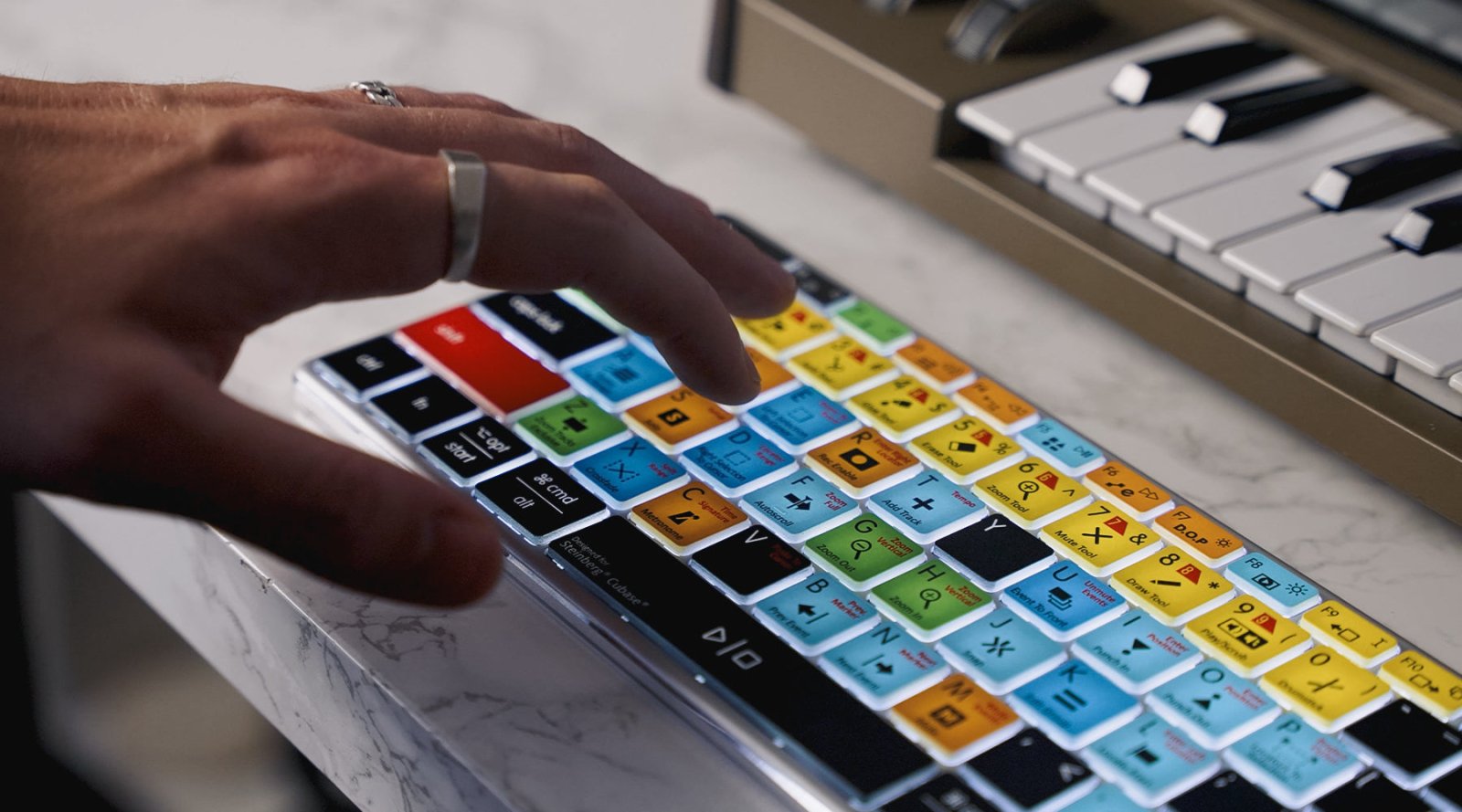
An editing keyboard is a specially designed keyboard created for video editors, filmmakers, music producers, sound engineers and creative professionals. Unlike a standard keyboard, an editing keyboard features clearly labelled shortcut keys for specific editing software directly printed onto the keys themselves. These shortcuts are colour coded, grouped into categories and laid out in a way that makes editing faster, easier and more intuitive.
For anyone working in video or audio production, an editing keyboard can dramatically improve workflow, reduce editing time and help users learn professional software more efficiently.
How Does an Editing Keyboard Differ From a Regular Keyboard?
A standard computer keyboard only displays the usual letters, numbers and symbols. While professional editing software such as Adobe Premiere Pro, Final Cut Pro or Logic Pro includes hundreds of keyboard shortcuts, none of these are shown on a regular keyboard.
This means users often have to memorise complex shortcut combinations themselves or constantly search online for commands while editing. Even experienced editors can occasionally forget shortcuts, particularly when using multiple software platforms.
An editing keyboard solves this problem by displaying the shortcuts directly on the keys. Every important command is mapped out visually, allowing editors to quickly identify the exact shortcut they need without interrupting their workflow.
Instead of stopping to search through menus or lookup guides, editors can keep their focus on the creative process itself.

Shortcut Mapping and Colour Coding
One of the most useful features of an editing keyboard is the organisation of shortcuts through colour coding and grouping.
Commands are grouped into categories based on their function within the software. For example:
-
Timeline editing shortcuts may share one colour
-
Playback controls may use another
-
Trimming tools may have their own category
-
Effects and transitions may appear in a different colour group
-
Audio editing functions can be separated visually
This layout creates a much more intuitive editing experience. Rather than seeing a keyboard full of identical keys, users can instantly recognise categories of commands through colour and positioning.
Over time, this also improves shortcut memorisation naturally. Editors begin associating both the colour and location of shortcuts with specific actions, helping build long-term editing speed and muscle memory.
For beginners, this makes learning professional editing software far less intimidating. For experienced professionals, it creates a significantly faster and smoother workflow.
Why Keyboard Shortcuts Matter in Editing
Professional video and audio editing software is built around efficiency. The faster an editor can navigate through timelines, clips, effects and tools, the faster they can complete projects.
Using a mouse for every action slows down this process considerably. Repeatedly moving between menus and timeline windows breaks concentration and interrupts creative flow.
Keyboard shortcuts allow editors to:
-
Cut clips instantly
-
Trim footage more accurately
-
Navigate timelines faster
-
Switch between tools immediately
-
Control playback efficiently
-
Add transitions and effects quickly
-
Edit audio with greater precision
When all these shortcuts are mapped directly onto the keyboard, editors spend less time searching and more time creating.
Over the course of a large project, this can save hours of editing time.

Editing on a Standard Keyboard vs an Editing Keyboard
Editors using a regular keyboard often face a steep learning curve. Professional software packages contain hundreds of shortcuts, many involving complex multi-key combinations that are difficult to remember initially.
New users commonly rely on printed shortcut sheets, online guides or repeated menu navigation while learning. This can slow down editing significantly and make the software feel overwhelming.
An editing keyboard removes much of this friction.
With the shortcuts visually displayed at all times, editors can learn commands naturally while working. Instead of interrupting their session to search for information, the answers are always directly in front of them.
This creates a smoother editing experience and helps users become proficient with their software much faster.
Editing Keyboards for Video Editing Software
Professional video editors rely heavily on keyboard shortcuts for efficient editing workflows. Editors Keys produces dedicated keyboards for some of the world’s most popular video editing platforms, including:
Each keyboard is specifically designed around the shortcuts used within that software, helping editors work more efficiently whether they are cutting YouTube videos, feature films, documentaries, television programmes or social media content.
Editing Keyboards for Audio Production Software
Editing keyboards are not only useful for video editors. Music producers, sound designers and audio engineers also benefit enormously from shortcut-based workflows.
Editors Keys offers keyboards for major audio production software including:
For audio professionals, shortcuts are vital for recording, editing, mixing and navigating complex sessions quickly. Having these commands clearly visible can dramatically improve production speed and reduce interruptions during creative work.

Trusted by the Creative Industry
Editors Keys editing keyboards are trusted and used by professionals across the television, film, music and gaming industries.
Our keyboards have been used by organisations including:
-
BBC
-
ITV
-
Warner Bros.
-
Universal Pictures
-
Rockstar Games
Editors Keys keyboards have also been used during the editing process of major productions including the TV series Peaky Blinders and House of the Dragon Season 3.
For professionals working under tight deadlines, speed and reliability matter enormously. Having shortcuts instantly accessible can make a major difference during demanding editing sessions.
The Editors Keys AB10 Core USB Wired Keyboard
The Editors Keys AB10 Core is designed for editors who prefer a reliable wired setup with a stable USB connection.
Built with a sturdy aluminium frame, the AB10 Core offers a premium feel and professional durability suitable for long editing sessions. The wired USB connection provides dependable performance with no need for charging or wireless pairing.
For editors working in professional studios or permanent editing setups, a wired keyboard remains a popular choice thanks to its reliability and consistency.

The Editors Keys AB10 Air Bluetooth Wireless Keyboard
For users who prefer a cleaner workspace or flexible editing setup, the Editors Keys AB10 Air provides the same professional editing experience in a wireless Bluetooth format.
Like the Core model, the AB10 Air features the same durable aluminium construction and premium build quality. The wireless design makes it ideal for modern studio environments, portable workstations and editors who frequently move between setups.
Bluetooth connectivity allows users to maintain a streamlined desk setup while still having full access to professionally mapped editing shortcuts.
Editors Keys Silicone Editing Covers
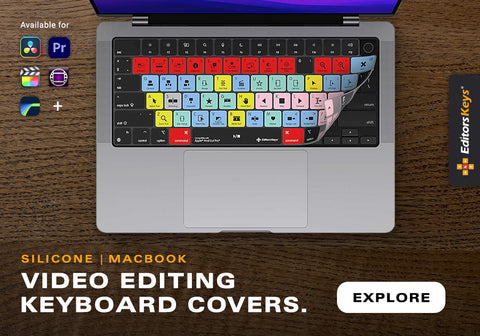
In addition to dedicated keyboards, Editors Keys also offers silicone editing keyboard covers for Mac and MacBook keyboards.
These covers provide many of the same shortcut benefits while fitting directly over existing Apple keyboards.
The silicone covers are:
-
Lightweight and portable
-
Ideal for editing on the go
-
Washable and easy to clean
-
Protective against dust and dirt
-
Resistant to liquid splashes
For mobile editors, travelling filmmakers or students working on laptops, editing covers offer a highly practical solution without requiring a separate keyboard.
They also help protect valuable MacBook keyboards from wear and accidental spills during busy editing sessions.
A Faster and More Professional Workflow
Whether you are just starting out in video editing or working professionally in film, television or music production, workflow speed matters.
An editing keyboard helps remove unnecessary friction from the creative process by placing the software’s most important shortcuts directly at your fingertips. Instead of interrupting your work to search menus or memorise commands, everything is clearly displayed and organised for immediate use.
The result is a more efficient, enjoyable and professional editing experience.
For editors and producers looking to improve both speed and productivity, an editing keyboard can quickly become one of the most valuable tools in their entire setup.